A Discord emoji pack that looks like one set
Most emoji packs are a directory with a million entries and no two drawn by the same hand. This is 111 icons for the things people accuse each other of, drawn as one set on one grid with one stroke weight — so a server that installs them looks deliberate rather than scraped together.
128 × 128 PNG, transparent, about 7 KB each — comfortably inside Discord’s 256 KB limit.
If your server isn’t boosted, these are the 50
A server without boosts has 50 static emoji slots, and the set is 111. Rather than make you choose, here is the shortlist — every icon flagged Signature, Spicy or a personal pick, in ranking order. The full pack is still in the download.

:gaslighting:
:red_flag:
:narcissist:
:mansplaining:
:ghosting:
:weaponized_incompetence:
:couldve_been_an_email:
:rent_free:
:situationship:
:pick_me:
:love_language:
:grounding:
:nepo_baby:
:daddy_issues:
:mommy_issues:
:flaky:
:emotionally_unavailable: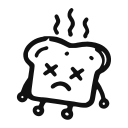
:cooked:
:deadbeat_dad:
:milf:
:dilf:
:manscaping:
:ipad_kid:
:touch_grass:
:slay:
:read_receipt_2_47am:
:ai_slop:
:brah:
:simp:
:sus:
:mid:
:tldr:
:brain_rot:
:salty:
:lets_go: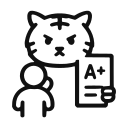
:tiger_mom:
:trust_fund_kid:
:peaked_in_high_school:
:opp:
:sesh:
:dope:
:six_seven:
:fresh:
:ai_girlfriend:
:house_robot:
:ai_agent:
:lock_in:
:the_ick:
:breadcrumbing:
:love_bombing:How to add custom emoji to a Discord server
About a minute. You need Manage Expressions permission on the server, which server owners have by default.
- Download and unzip the pack. It opens to a
slack-discord-128folder of named PNGs. The same files work for Discord and Slack, so nothing needs converting. - Open Server Settings → Emoji. Click the server name at the top left, choose Server Settings, then Emoji in the sidebar. The upload limits are printed on that screen.
- Click Upload Emoji and select your files. Discord takes several at once, so you can drag in a batch rather than going one by one. The filename becomes the name, which is why the pack ships already named.
- Mind the 50. An unboosted server gets 50 static slots — animated emoji come from a separate pool of 50, so these do not compete with your GIFs. Boosting raises both. The shortlist above is a sensible 50 if you would rather not decide.
- Send one at the right moment. Each icon has a written entry explaining what the phrase means and why the existing emoji fail it, if you want the argument as well as the picture.
The specs, and why you can ignore them
Discord prints its limits on the upload screen. The pack sits well inside them.
| Recommended image size | 128 × 128 px — what the pack ships |
| Maximum file size | 256 KB — ours average about 7 KB |
| Formats accepted | PNG, JPG, GIF, WebP — ours are transparent PNG |
| Slots on an unboosted server | 50 static, plus a separate 50 for animated |
| With boosts | Level 1 raises it to 100, Level 2 to 150, Level 3 to 250 |
Questions
How many custom emoji can a Discord server have?
Fifty static emoji on a server with no boosts, plus a separate pool of fifty animated ones — so uploading these will not cost you any GIF slots. Boosting raises the static limit to 100 at Level 1, 150 at Level 2 and 250 at Level 3.
Are these free?
Yes — all 111, no account and no email. They are under the SIL Open Font License 1.1, which allows commercial use and bars only one thing: selling the icons by themselves as a pack.
What size should a Discord emoji be?
Discord recommends 128 × 128 pixels and caps the file at 256 KB. Larger images are accepted and resized, but they soften. These are drawn at emoji size rather than shrunk to it.
Can I upload more than one at a time?
Yes. The Emoji screen in Server Settings takes a multi-file selection, so a batch goes up in one go. Discord names each one from its filename.
Do these work on Slack too?
The same files, yes — both platforms want a small transparent PNG. There is a Slack version of this page with that walkthrough.
Why only 111 when other packs have thousands?
Because they are drawn rather than collected. One grid, one stroke weight, one hand. A directory of a million emoji has no house style; a set has nothing else.
One set, one hand, fifty slots.
Take the shortlist, or take all 111 and decide for yourself which ones your server actually says.